Camera System
Switching Cameras
caution
Some cameras are not yet properly positioned.
- In the Camera Tab, click on any of the cameras to change to it.
Effects
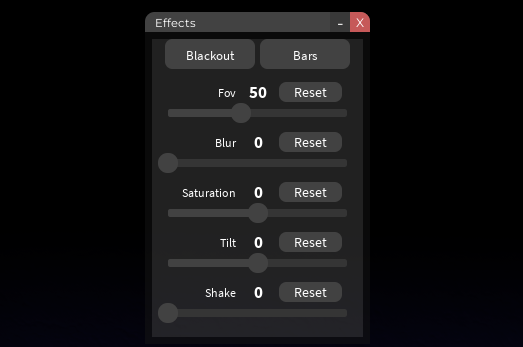
In the effects page, you can adjust some of the effects visible on the camera!
- FOV - The amount of zoom the camera has.
- Blur - The blurriness of the camera (pretty useless).
- Saturation - The saturation of the color displayed in the camera (if you want colors to pop).
- Tilt - The tilt of the camera (pretty useless).
- Shake - The shakiness of the camera (helpful in scenes like the cave).
Keybinds
caution
These keybinds are currently not up-to-date.
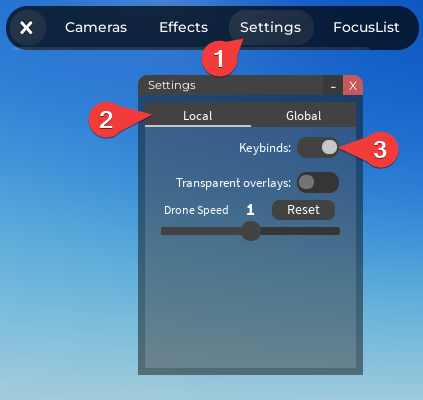
The Camera System has a few zoom and camera switching keybinds that you can enable in the settings!
Zoom
9– FOV 30
Camera Switching
1– Whole Stage2– Theatre Stage3– Facing Audience4– Back Balcony5– Side Balcony6– Face Left Stage7– Face Right Stage8– Around Stage
tip
Have any suggestions? Let us know in #suggestions channel on the Discord!
Last Updated On: September 26, 2025